Using nested resources
This tutorial will walk you through extending the Search, attachments and tags Tutorial to support nested resources.
Prerequisites
Ensure you have completed the Search, attachments and tags Tutorial.
Data model
The following data model will be used for this tutorial.
Each blog post can have 1 or more Open Graph meta tags.
Create the model and database schema
Generate the models and database schema for the application using the following commands
rails g model og_meta_tag blog_post:references tag_name:string value:string
rails db:migrate
Configure the models
Update the model code files to extend the associations, validations and Rhino configuration for the model files as highlighted below
OgMetaTag
class OgMetaTag < ApplicationRecord
  belongs_to :blog_post

  # Rhino specific code
  rhino_owner :blog_post

  validates :tag_name, presence: true
  validates :value, presence: true

  # Rhino specific code
  def display_name
    "#{tag_name}: #{value}"
  end
end
By default Rhino will use the name or title attribute of the model, but this can be overridden by defining a display_name method.
BlogPost
class BlogPost < ApplicationRecord
  belongs_to :blog
+  has_many :og_meta_tags, dependent: :destroy

+  accepts_nested_attributes_for :og_meta_tags, allow_destroy: true

  acts_as_taggable_on :tags

  # Rhino specific code
  rhino_owner :blog
-  rhino_references [:blog]
+  rhino_references [:blog, :og_meta_tags]

  validates :title, presence: true
  validates :body, presence: true
end
Configure the REST API
Update the Rhino configuration so that OgMetaTag is available through the Rest API.
- config.resources += ['User', 'Account', 'Blog', 'BlogPost', "Category"]
+ config.resources += ['User', 'Account', 'Blog', 'BlogPost', "Category", "OgMetaTag"]
accepts_nested_attributes_for is part of Rails and allows for child model attributes to be passed through the parent model.
Restart the server
rails s
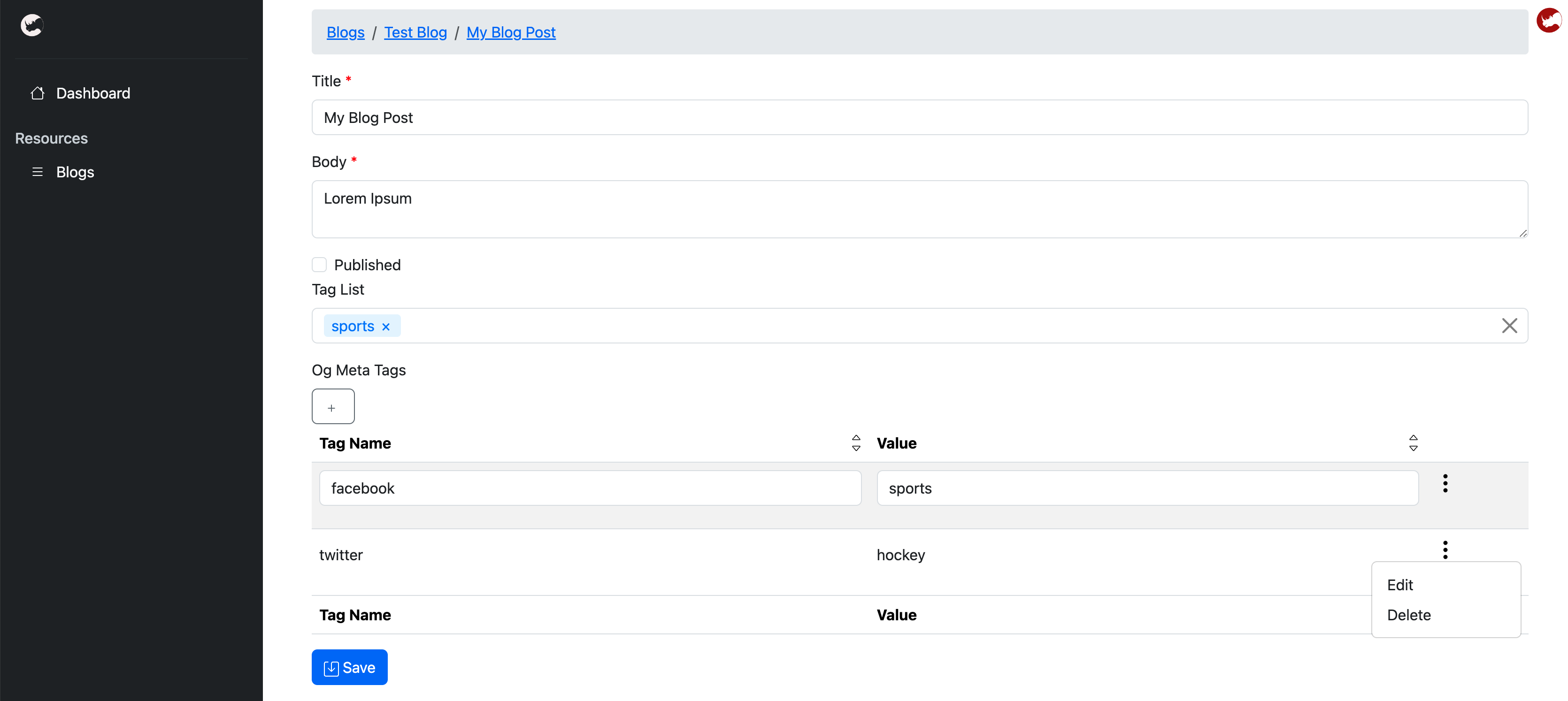
Attach OpenGraph meta tags to a blog post
You will now be able to add one or more OpenGraph meta tags to a blog post, as well as edit and delete them.